Connecting a Firebase project with a Go Daddy domain
Published at 2020/06/01
This tutorial is old, I don't use Firebase hosting and Go Daddy anymore. This website is hosted on Vercel.
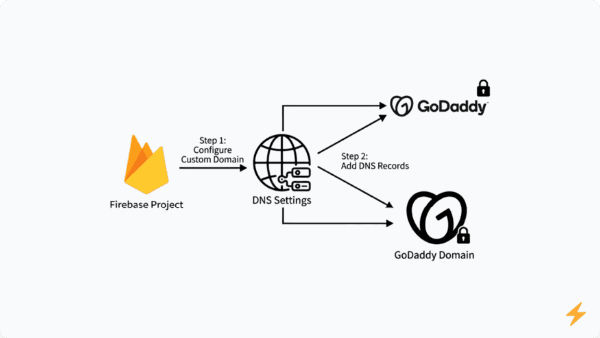
In this tutorial I want to explain how to connect a Go Daddy domain with a Firebase project.
Requirements
- Node.js
- A Go Daddy domain
- A Firebase project
Connecting our Firebase project with the Go Daddy domain
-
Go to and click on Connect a domain
-
Now, you should see a modal, where you have to type the domain's name, for example: , and then click on Continue
-
It's necessary to verify you are domain's owner, so, you have to create a TXT record on the domain's configuration on Go Daddy. To accomplish it, log into Go Daddy and go to . Now, you have to create the TXT record using the information that Firebase provides you and wait until Firebase verifies that you are the domain's owner. (I had to wait around one hour)
IMPORTANT: To create a TXT Record, it is required to enter a Host. Firebase proposes to use our domain's name as Host, for example . I didn't use my domain's name as Host, instead, I used the symbol
-
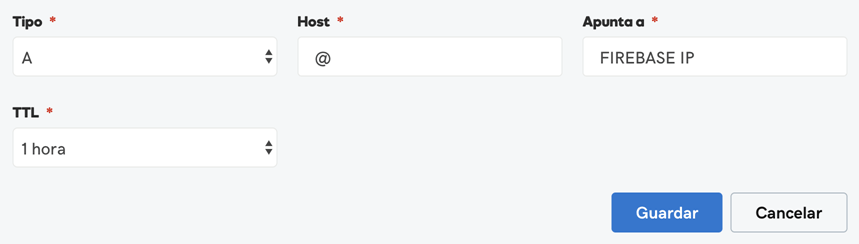
After Firebase verifies that the domain is yours, you have to create the A records using the information that Firebase provides. To do this, you have to go to the domain's configuration on Go Daddy and create them the same way that you have created the TXT records in the steps above. Before create them, it is important to delete all A records that you have created formerly
IMPORTANT: To create an A record, it is necessary to enter the Host and the IP address where you domain will point. Firebase proposes to use the domain's name as Host, for example . I didn't use my domain's name as Host, instead, I used the symbol

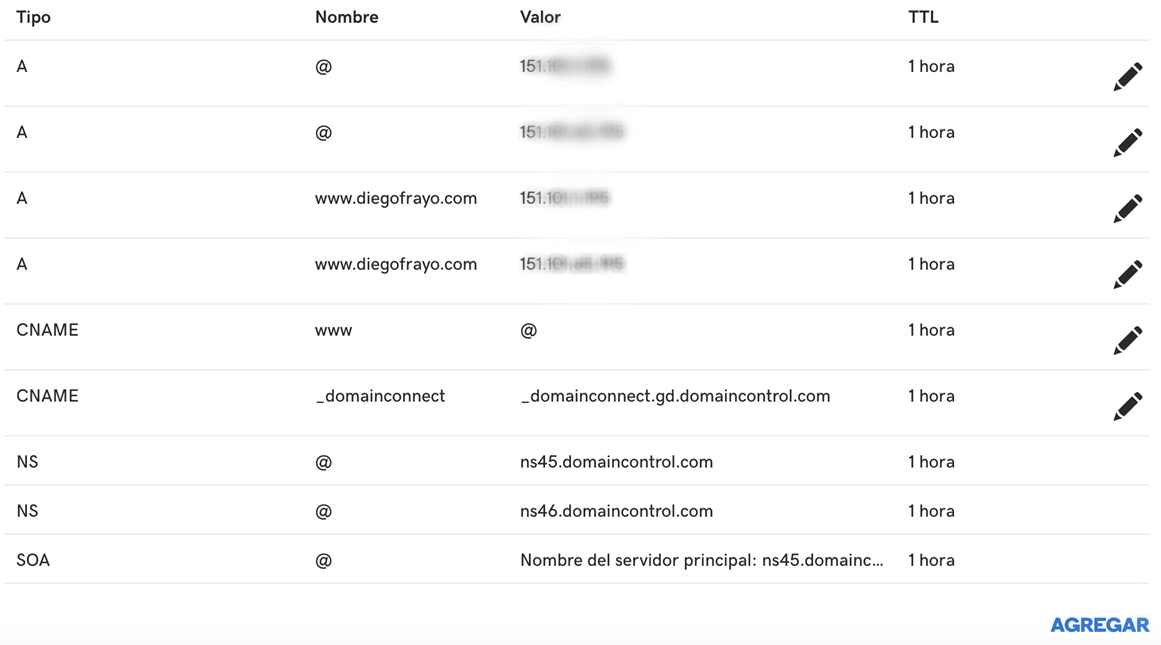
The domain's configuration on Go Daddy should look like this:

-
Now, you should wait a couple of hours until the changes take effect (I waited for around 4 hours). After this, you will have the Go Daddy domain connected with your Firebase project
Deploying our website on Firebase Hosting
To deploy our website on Firebase Hosting, let's follow the next steps:
-
Install firebase-tools:
-
Create a folder for our project and init it
.bash
When you execute the third command, you have to sign in using your Google Account
-
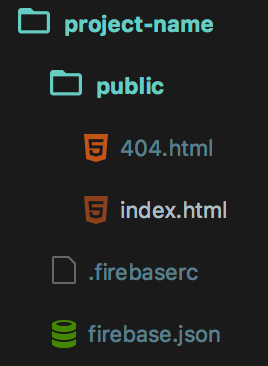
Now, your project should have the next structure:

Inside of folder we must store all website's assets. The file should look like this:
.json
In adition, we can configure more things in this file, for example, redirections, rewrites and other interesting stuff. In this link you can read more about this configuration file
-
To test the website on your local environment, you can use command, it creates a HTTP server and you can access it via http://localhost:5000
-
To deploy the website on Firebase Hosting, just execute command
Final words
When you are creating the A and TXT records on Go Daddy, it's important to be patient and wait until the changes take effect, it could take a couple of hours. As you have seen, using Firebase Hosting you can deploy a website easily, besides getting an SSL certificate for free. I hope this tutorial has been useful for you, thanks for reading.